You need a minimum internet speed of 15 to 25 Mbps for smooth IPTV streaming in standard HD quality, and at least 50 Mbps if you plan to watch in 4K or stream on multiple devices at the same time. Your internet connection is the single most important factor that determines the quality of your IPTV experience, without enough bandwidth, you will face constant buffering, freezing, and poor picture quality.
To make the most of their extensive selection of over 15,000 live channels and 50,000 on-demand titles, reliable providers recommend a stable high-speed connection; you can find iptv canada providers that prioritize this for optimal streaming. The good news is that most Canadian households already have internet plans fast enough to handle IPTV, so switching from cable to IPTV is easier than you might think.
How Much Speed Does IPTV Actually Require?
The speed you need for IPTV depends mainly on the streaming quality you want and how many devices are connected at the same time. For standard definition content, a connection as low as 5 to 10 Mbps can work, but the picture quality will not be great on a large screen.
For HD streaming, which is what most people expect today, you should have at least 15 to 25 Mbps available exclusively for your IPTV stream. If you want to enjoy 4K ultra-high-definition content, then you will need 50 Mbps or more to avoid any interruptions.
Keep in mind that these numbers represent the speed needed just for IPTV, if other people in your household are browsing the web, downloading files, or making video calls at the same time, you will need additional bandwidth on top of that to keep everything running smoothly.
Here is a quick reference table for the recommended speeds:
| Streaming Quality | Minimum Speed (1 Device) | Recommended Speed (2–3 Devices) |
| SD (480p) | 5–10 Mbps | 15–20 Mbps |
| HD (720p–1080p) | 15–25 Mbps | 40–60 Mbps |
| Full HD (1080p) | 25–35 Mbps | 60–80 Mbps |
| 4K Ultra HD | 50+ Mbps | 100+ Mbps |
Why Does My IPTV Keep Buffering Even With Fast Internet?
Buffering is not always caused by slow internet speed, it can also happen because of network congestion, Wi-Fi interference, or issues with your router.
Even if you are paying for a 100 Mbps plan, the actual speed reaching your streaming device can be much lower if you are connected over Wi-Fi, especially if the router is far away or there are walls between the router and your device.
Here are the most common causes of IPTV buffering:
- Weak Wi-Fi signal : The device is too far from the router or blocked by walls and furniture.
- Network congestion : Too many devices sharing the same connection at the same time.
- ISP throttling : Your internet provider intentionally slows down streaming traffic during peak hours.
- Outdated router : Older routers cannot handle modern streaming demands efficiently.
- Server-side issues : The IPTV provider’s server may be overloaded or experiencing downtime.
- Background downloads : Apps or devices running updates or syncing files in the background.
Does Wi-Fi or Ethernet Make a Difference for IPTV?
Yes, using a wired Ethernet connection instead of Wi-Fi makes a significant difference for IPTV streaming quality and stability. Wi-Fi is convenient, but it is also unreliable, the signal weakens over distance, gets disrupted by walls, furniture, and other electronic devices, and the speed fluctuates constantly depending on how many devices are connected to the network.
An Ethernet cable provides a direct, stable connection between your router and your streaming device, delivering consistent speeds without interference or drops. This is especially important for live TV and sports, where even a brief interruption can cause you to miss an important moment.
If running a cable across the room is not practical, consider using a powerline adapter, which sends the internet signal through your home’s electrical wiring and gives you a wired-like connection in any room.
You can also improve your Wi-Fi by placing the router closer to your streaming device, switching to the 5 GHz band instead of 2.4 GHz, or upgrading to a mesh Wi-Fi system that covers your entire home evenly.
Should You Use a VPN With IPTV and How Does It Affect Speed?
A VPN can be useful for protecting your privacy while streaming IPTV, but it will reduce your internet speed to some degree because your data has to travel through an encrypted tunnel to a remote server before reaching its destination. On average, a good VPN will lower your speed by about 10 to 30 percent, depending on the quality of the VPN service and the distance to the server you connect to.
This means that if your base internet speed is 50 Mbps, using a VPN might bring it down to around 35 to 45 Mbps, which is still fast enough for HD streaming but could cause issues with 4K content.
However, in some cases a VPN can actually help your speed — if your ISP is throttling your IPTV traffic, a VPN hides the type of data you are using and prevents the throttling from happening.
To minimize speed loss, always choose a VPN server that is geographically close to your location and use a reputable VPN provider known for fast servers, such as NordVPN, ExpressVPN, or Surfshark.
How Can You Test If Your Internet Is Fast Enough for IPTV?
The easiest way to check if your internet is fast enough for IPTV is to run a speed test directly on the device you plan to use for streaming. You can use free tools like Speedtest by Ookla, Fast.com, or the built-in speed test in your router’s admin panel.
What matters most is not your download speed alone, you should also pay attention to your ping (latency) and jitter, because high values in either of these will cause stuttering and delays even if your download speed looks fine. For smooth IPTV streaming, aim for a ping below 50 ms and jitter below 20 ms.
Run the test at different times of the day, especially during evening hours when network traffic is at its peak, to get a realistic picture of your actual performance. If the results show that your speed is significantly lower than what your ISP plan promises, contact your provider or consider upgrading your router before blaming the IPTV service itself.
Frequently Asked Questions
Is 10 Mbps enough for IPTV?
It can work for standard definition content on a single device, but it is not enough for HD or 4K streaming. You will likely experience buffering with anything above SD quality. If your speed is adequate but still experiencing problems, troubleshoot buffering issues.
What speed do I need to stream IPTV on 2 devices?
You should have at least 40 to 50 Mbps to stream comfortably on two devices in HD at the same time without any buffering.
Does IPTV use a lot of data?
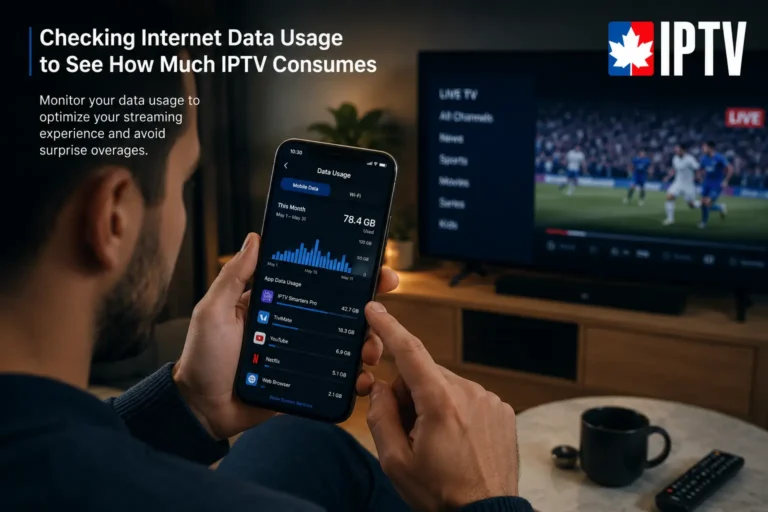
Yes. IPTV can use between 1.5 GB and 7 GB per hour depending on the streaming quality. If you have a data cap on your internet plan, keep this in mind.
Can I use mobile data for IPTV?
Yes, you can stream IPTV on 4G or 5G mobile data, but it will consume your data allowance quickly. A Wi-Fi connection is always preferred for extended viewing.
Will upgrading my router improve IPTV performance?
In many cases, yes. Older routers may not support modern Wi-Fi standards and can bottleneck your connection. A dual-band or Wi-Fi 6 router will handle IPTV streaming much more efficiently.
Does the time of day affect IPTV streaming quality?
Yes. During peak hours, usually between 7 PM and 11 PM, internet traffic increases and your ISP may slow down your connection. This can lead to more buffering during those times.
Is fibre optic internet better for IPTV than DSL or cable?
Yes. Fibre optic provides the fastest, most stable, and most consistent connection, which makes it the best choice for IPTV streaming, especially if you watch in 4K or use multiple devices.
Read more about quality IPTV service in Canada.