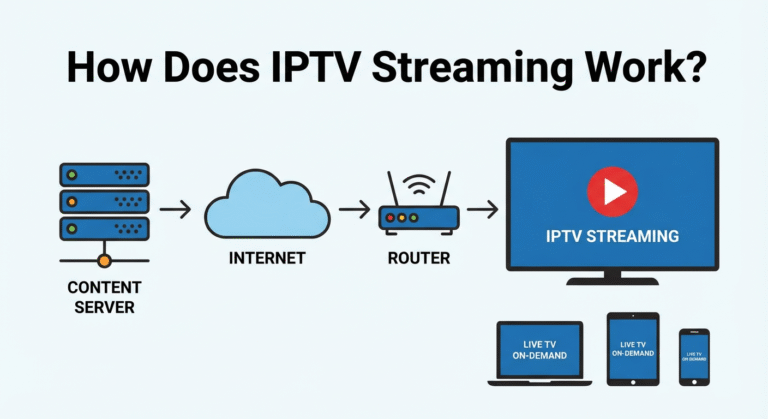
Yes, you can watch IPTV on multiple devices at the same time, but the number of screens you can use depends on your subscription plan and your IPTV provider. Most IPTV services allow between 1 and 4 simultaneous connections per account, which means your whole family can enjoy different content without fighting over the remote.
Enjoy seamless streaming of live TV, sports, and on-demand movies across all your devices, including Smart TVs, Firesticks, smartphones, and tablets, when you choose our iptv provider in canada.
How Many Devices Can You Use at the Same Time ?
Most IPTV providers allow between 1 and 4 devices to stream at the same time on a single account. The exact number of simultaneous connections depends entirely on the subscription plan you choose. Basic plans typically support just 1 connection, which is ideal for a single user.
Premium plans often go up to 4 simultaneous connections, allowing multiple people to stream different channels at the same time without any interruptions. Before subscribing to any service, always verify how many connections are included so you can pick the right plan.
Here is a general breakdown of what most IPTV providers offer:
| Plan Type | Simultaneous Devices | Best For |
| Basic | 1 connection | Single users |
| Standard | 2 connections | Couples |
| Premium | 3–4 connections | Families |
| Reseller / VIP | 4+ connections | Large households or resellers |
What Devices Are Compatible With IPTV ?
IPTV works on almost any device that connects to the internet, which is one of its biggest advantages over traditional cable. You are not locked into a single screen or a specific piece of hardware.
The flexibility of IPTV means one family member can watch live sports on the big screen in the living room while another person streams a movie on their phone during a commute.
All you need is a compatible IPTV app installed on your device and an active subscription to get started. The most commonly used apps include IPTV Smarters, TiviMate, and GSE Smart IPTV, all of which support M3U playlists and Xtream Codes for easy setup.
Here are the most popular devices that support IPTV streaming:
- Smart TVs — Samsung, LG, Sony, and other major brands with built-in app support.
- Amazon Firestick / Fire TV — One of the most popular and affordable IPTV streaming devices.
- Android TV Box — A dedicated box that turns any TV into a smart streaming device.
- Apple TV — Works with IPTV apps available on the App Store.
- Smartphones and Tablets — Both Android and iOS devices for streaming on the go.
- Laptops and PCs — Using apps like VLC Media Player or web-based IPTV players.
- MAG Boxes — Purpose-built set-top boxes designed specifically for IPTV.
Does Watching on Multiple Devices Affect Streaming Quality ?
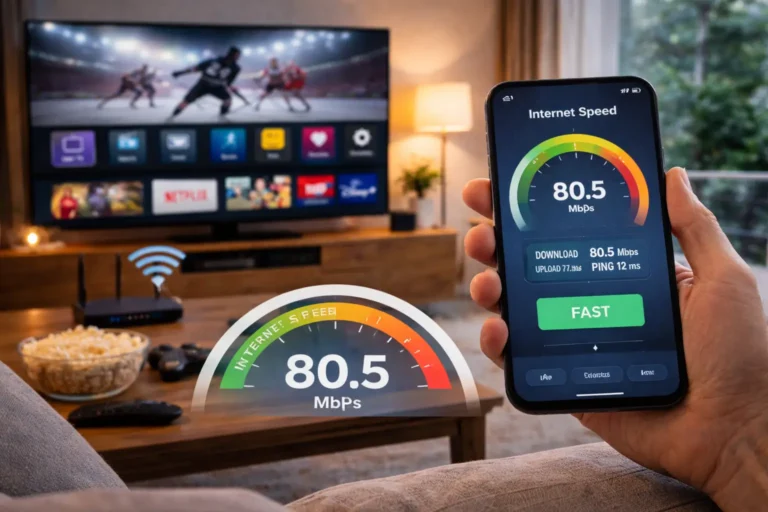
Yes, using multiple devices at the same time can affect your streaming quality, but only if your internet speed is not fast enough to handle the load. Each device streaming in HD requires at least 15 to 25 Mbps of bandwidth for smooth, buffer-free playback.
This means that if three people in your home are watching IPTV at the same time, you need a minimum of 45 to 75 Mbps of total internet speed to keep everything running smoothly. If your connection drops below that threshold, you may experience buffering, pixelation, or freezing on one or more screens.
To get the best experience, consider connecting your main TV with a wired Ethernet cable instead of relying on Wi-Fi, as this provides a much more stable and consistent signal. You should also make sure no other heavy activities, like large file downloads or video calls, are consuming bandwidth while everyone is streaming.
Can You Use the Same IPTV Account From Different Locations ?
In most cases, yes you can use your IPTV account from different physical locations as long as your provider allows it.
For example, you could stream channels on your TV at home while another family member watches on their phone from a hotel or a different city. This makes IPTV incredibly convenient for people who travel frequently or have family members living in separate places.
However, some providers place restrictions on the number of different IP addresses that can connect to the same account simultaneously. If too many unique IP addresses are detected, the provider may flag your account, temporarily block access, or even suspend the subscription.
To avoid this, always check your provider’s terms of service before sharing your login credentials across multiple locations. Using a VPN can also help in some situations, but it may add latency to your stream if the server you connect to is far away.
What Happens If You Exceed the Device Limit ?
If you try to connect more devices than your subscription plan allows, the additional device will automatically be blocked from streaming. You will typically see an error message on your screen telling you that the maximum number of connections has been reached and that you need to disconnect another device before you can continue.
This is a very common issue in households where several people try to stream at the same time without realizing the plan only supports a limited number of connections. When sharing access, consider setting up parental controls on shared devices. The easiest fix is to close the IPTV app on a device that is not actively being used, which will free up a connection slot instantly.
If this happens often, it might be worth upgrading to a higher plan that includes more simultaneous connections. It is also a good habit to fully log out of the IPTV app on devices you are no longer using, rather than just closing the app, to make sure the session is properly ended and the connection is released.
Frequently Asked Questions
Can I watch IPTV on my phone and TV at the same time?
Yes, as long as your subscription plan supports at least 2 simultaneous connections and your internet speed is fast enough to handle both streams.
Do I need a separate subscription for each device?
No. Most IPTV plans allow multiple devices on a single account. You just need to choose a plan that includes enough connections for your needs.
Does multi-device streaming cost more?
It depends on the provider. Some include multi-device support in all plans at no extra charge, while others offer it as a paid upgrade on higher-tier plans.
Can two people watch different channels at the same time?
Yes. Each connected device operates independently, so two people can stream two completely different channels without any conflict.
Will using multiple devices cause buffering?
Only if your internet speed is too slow to support all active streams. Make sure you have at least 15 to 25 Mbps available per device for smooth HD playback.
Can I use my IPTV account on a friend’s TV?
Technically yes, but some providers restrict the number of unique IP addresses that can access the account. Check your provider’s policy to avoid service interruptions.
What is the best IPTV app for multi-device use?
IPTV Smarters and TiviMate are the most popular and reliable options. Both apps support multi-device setups, offer clean interfaces, and are easy to configure with any IPTV provider.