
Can I Use IPTV on Roku TV?
How to use IPTV on Roku TV with simple methods like screen mirroring, sideloading apps, or using compatible media players
On this page (5)
Yes, you can use IPTV on Roku TV, but it requires a few extra steps. You’ll need an IPTV subscription with an M3U URL or Xtream Code, and you’ll have to sideload a compatible app like IPTV Smarters.
This involves enabling developer options on your Roku and adding the channel through a web browser. Be cautious when sideloading apps, as Roku has restrictions. Legal IPTV services from the Channel Store are recommended. Keep exploring to learn more.
Understanding IPTV on Roku
IPTV, the acronym for Internet Protocol Television, lets you stream live TV and on-demand content over the internet using your Roku device.
To access IPTV on Roku TV, you’ll need a subscription from an IPTV service provider that supplies an M3U URL or Xtream Code for authentication like Discover the best options for iptv streaming in canada..
However, Roku doesn’t allow sideloading third-party apps, so you can only install IPTV apps available in the Roku Channel Store. This restriction encourages users to opt for legal IPTV services to avoid potential copyright issues.
When choosing an IPTV streaming service compatible with Roku, consider factors such as channel selection, pricing, and reliability.
Installing IPTV Apps on Roku
On your computer, open a browser and go to my.roku.com. Enter your Roku account username and password, then click Submit.
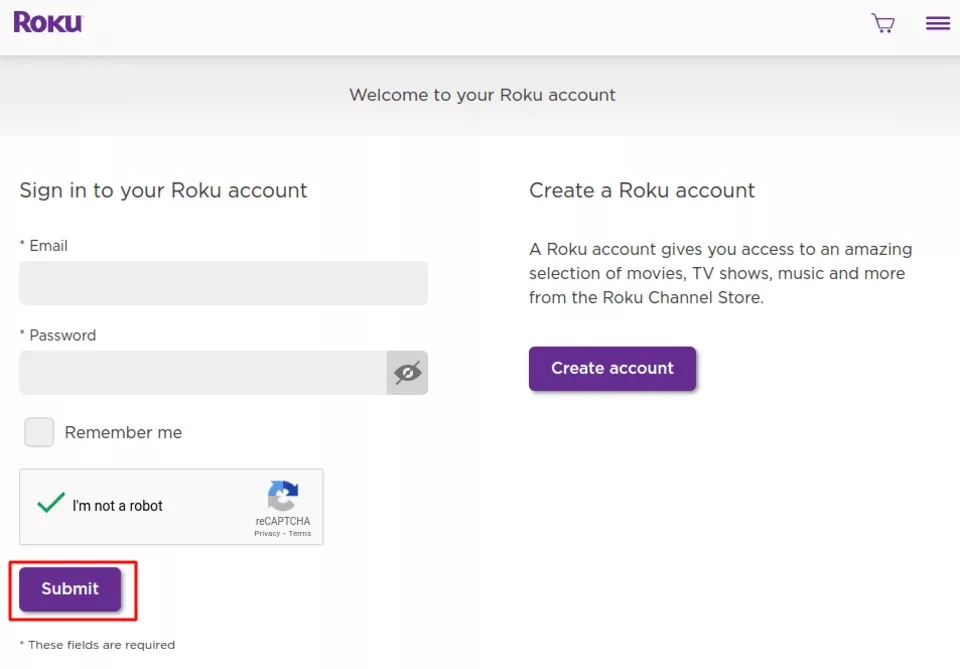
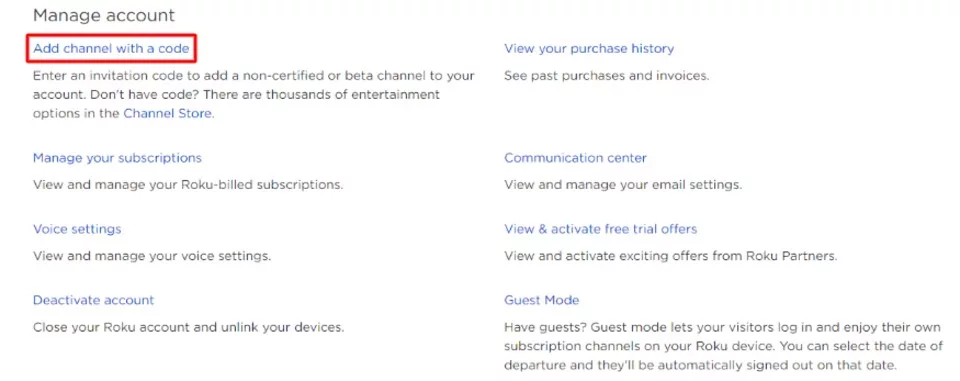
After logging in, go to Manage account and select Add channel with a code.
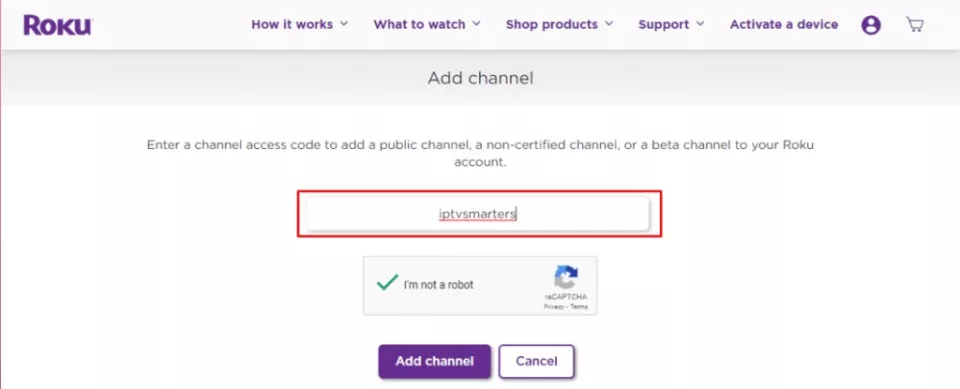
Enter the code “iptvsmarters” to access the IPTV Smarters app.
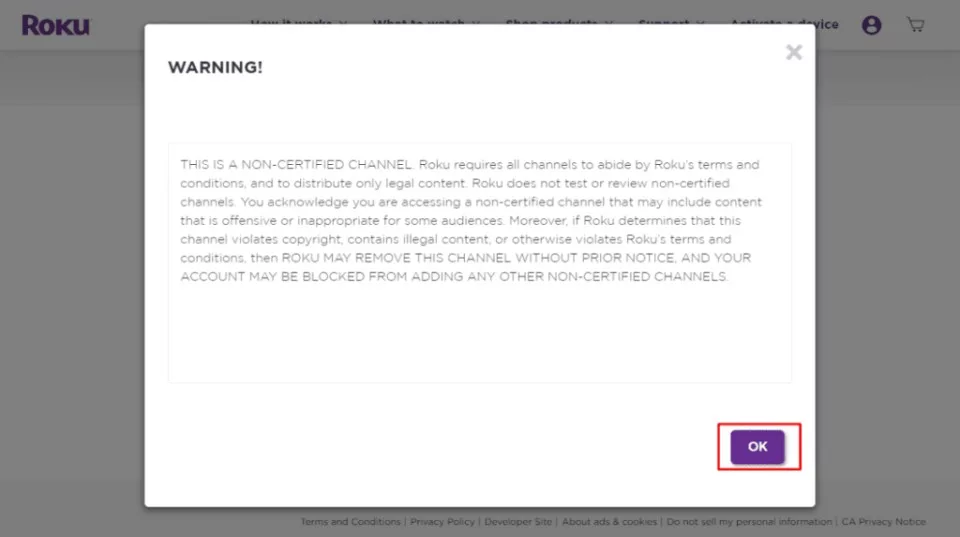
Click OK on the warning message that pops up.
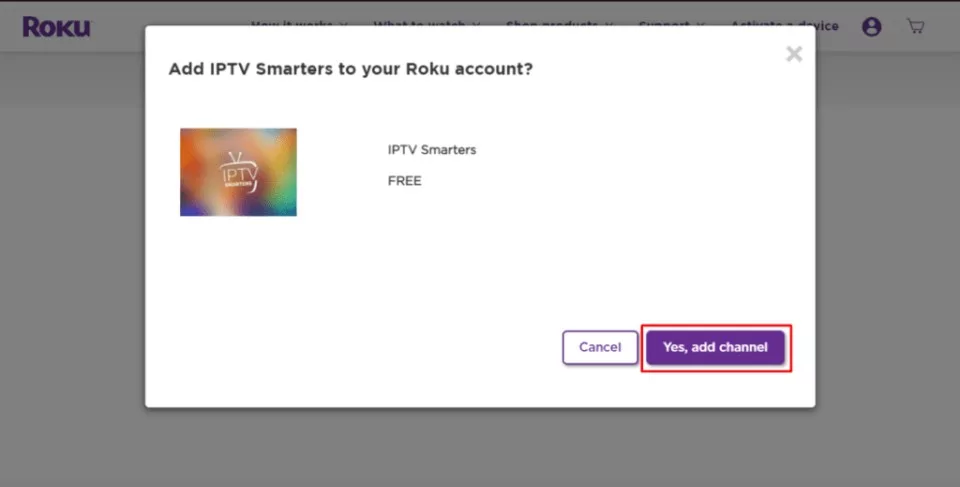
On the next popup, click Yes, add channel.
After adding the channel, upload the IPTV Smarters file from the provided URL to install it on your Roku device.
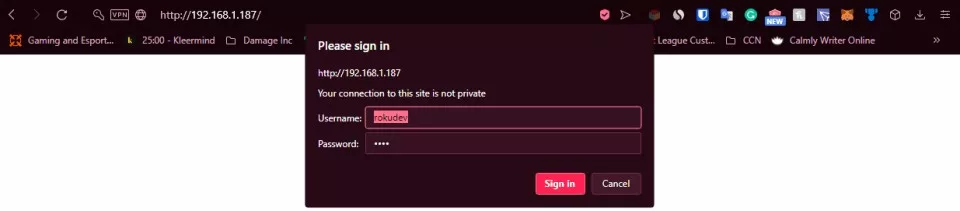
To do it, you need to launch a browser on your computer and enter the Roku IP address you noted earlier.
When prompted, enter rokudev as the Username and use the webserver password you previously created for the Password. Then, click Sign in.
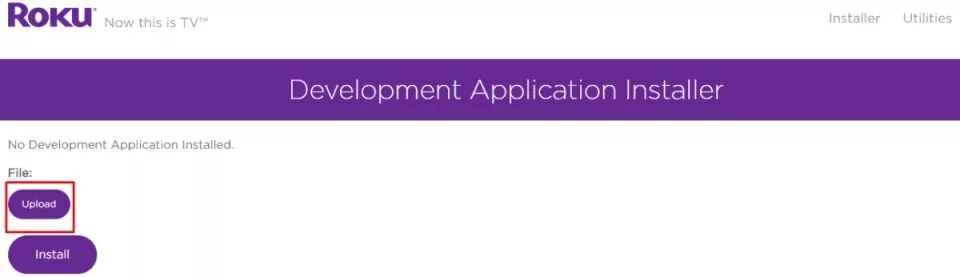
On the next page, click Upload.
Navigate to the location where you downloaded the IPTV Smarters package (e.g., your Desktop). Select the downloaded folder and click Open.
Once the file is uploaded, click Install.
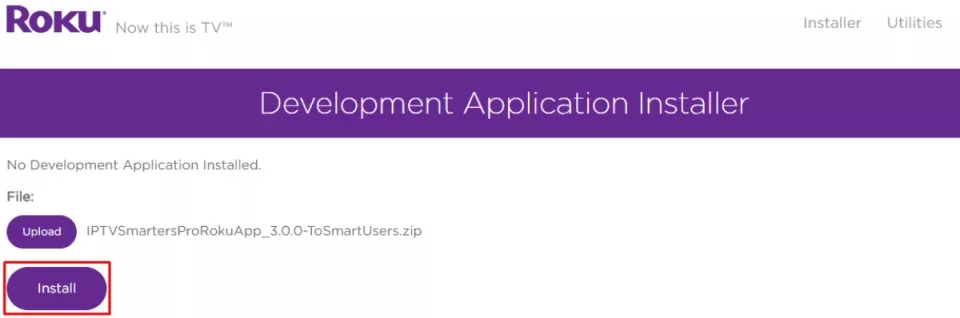
If you see this screen, you’ve done everything correctly!
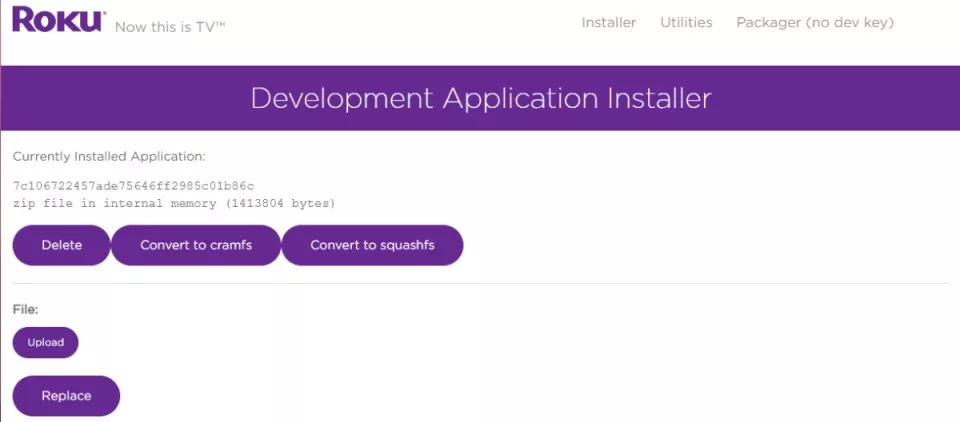
Go back to your Roku device, and you’ll find IPTV Smarters on the TV.
Log in using your IPTV Smarters credentials, and you’re all set!
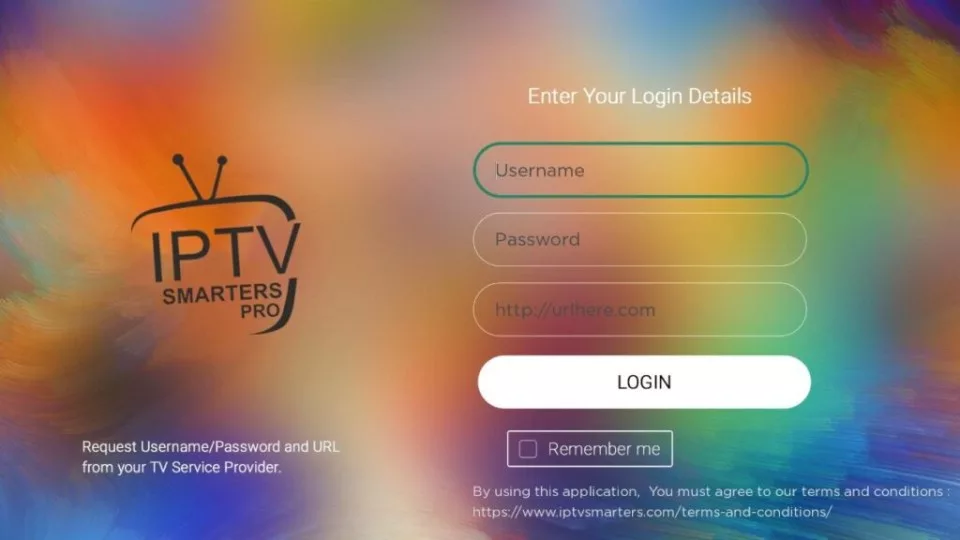
Keep in mind that Roku has restrictions on sideloading apps, so proceed with caution when installing IPTV on Roku.
Best IPTV Services for Roku
Several top-notch IPTV services are compatible with Roku, offering you a seamless streaming experience without the need for sideloading apps.
Sling TV provides access to over 50 live channels in full HD on Roku devices with flexible subscriptions.
Canadian IPTV, another affordable option, lets you stream +25 000 channels on full HD.
For sports enthusiasts, YouTube TV is ideal, featuring 85+ channels and unlimited cloud DVR storage.
Hulu combines live TV with an extensive on-demand library, emphasizing sports content and 50 hours of cloud DVR.
These streaming services can be easily installed on Roku through the official Channel Store, ensuring a reliable and safe IPTV experience compared to using unverified apps.
Choose the best IPTV service for your Roku based on your preferences and budget.
Streaming IPTV Content on Roku
To stream IPTV on your Roku device, you’ll need to sideload compatible IPTV apps like IPTV Smarters, as Roku doesn’t support direct third-party app installations from unofficial sources.
Ensure you have an active IPTV subscription that provides M3U URLs or Xtream Codes to access the content.
The installation process involves enabling developer options on your Roku, adding the IPTV channel through my.roku.com, and uploading necessary files via a web browser.
Alternatively, you can cast IPTV content from a compatible device with the app installed, simplifying the process.
While sideloading allows you to watch IPTV on Roku, the platform offers several legal IPTV services through its Channel Store, such as Sling TV, Philo, and YouTube TV, providing diverse content without the risks associated with unverified apps.
Frequently Asked Questions
Does Roku Have an IPTV App?
Roku’s compatibility with IPTV is limited, but you can access some channels through the IPTV Smarters app or official providers. Installation may be restricted, affecting content accessibility and user experience due to device limitations and subscription models.
How Do I Watch IPTV on My TV? For a detailed walkthrough, check our complete Roku IPTV setup guide.
To watch IPTV on your TV, you’ll need a compatible device and subscription. Consider channel selection, streaming quality, and legal considerations. Follow setup guides and troubleshoot issues for the best IPTV experience tailored to your needs.
What Devices Can I Watch IPTV On?
You can watch IPTV on various devices, including smart TVs, smartphones, tablets, computers, and streaming devices like Roku and Fire TV Stick. IPTV service providers offer dedicated apps for seamless streaming across multiple platforms.
Can You Add Streaming Services to Roku?
With over 5,000 channels available, you can easily add streaming services to your Roku. Navigate to the Channel Store, search for desired apps, and click “Add Channel.” Roku supports popular subscription services and free channels.

Your free trial login works in every app in this article. Twelve hours of the full service, no card, then choose a plan or stop.
- No credit card
- Login by email in minutes
- Setup guides for every device