Installing IPTV on a smart TV depends entirely on the television’s operating system, not just its brand: on Android TV / Google TV sets you install a player straight from the Google Play Store; on Samsung (Tizen) and LG (webOS) you use their own app stores or MAC-based apps set up on a website; on Fire TV sets you sideload with the Downloader tool; and on Roku, which does not allow these apps, you fall back on screen mirroring or an external device. Identify your TV’s system first, then follow the matching section below.
The first job is not “what brand is my TV?” but “what operating system does it run?” This guide breaks it down system by system, shows a clear comparison, and covers a universal fallback for the sets where no IPTV app is available.
As always, the app is only a player: it needs a legitimate, authorized source that you provide, such as an IPTV Subscription for a M3U link or Xtream Codes login.
First, identify your TV’s system
Before anything else, find out which platform your TV uses. It is usually named on the box, in the settings under “About,” or recognizable from the home screen layout.
| TV system | Common brands | How you install IPTV | Ease |
| Android TV / Google TV | Sony, Philips, TCL, Hisense, Nvidia Shield, Onn | Any player from the Google Play Store | Easiest |
| Tizen | Samsung | Samsung store apps, or MAC-based apps via a website | Medium |
| webOS | LG | LG Content Store apps, or MAC-based apps | Medium |
| Fire TV (built-in) | Toshiba, Insignia, some others | Amazon Appstore or sideload via Downloader | Medium |
| Roku TV | TCL, Hisense, Roku-branded | No native app — mirror or use an external device | Hardest |
| VIDAA | Hisense, some Toshiba | Limited store — often needs an external device | Hard |
Android TV and Google TV (Sony, Philips, TCL, Hisense, and more)
This is by far the easiest and most flexible system, because it includes the full Google Play Store. You can install any major IPTV player directly.
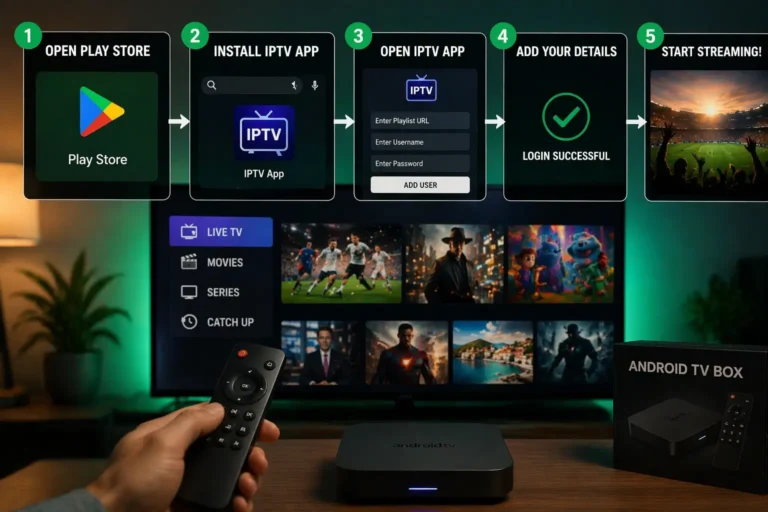
From the home screen, open the Google Play Store.
Search for an IPTV player such as “IPTV Smarters Pro,” “OTT Navigator,” or “TiviMate.”
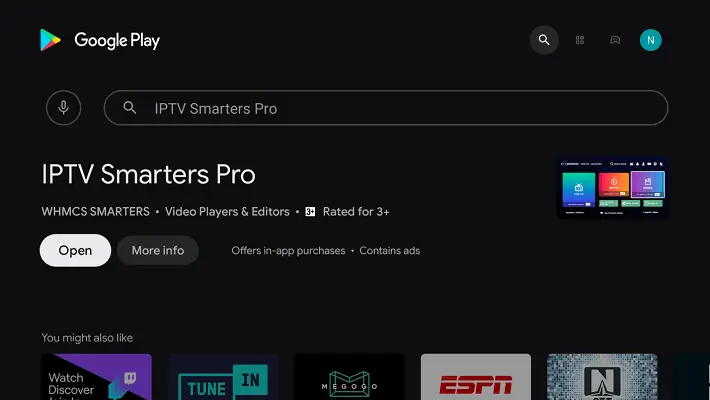
Select it, press “Install,” then “Open.”
Add your source with an M3U link or Xtream Codes credentials (see the common step below).
If a specific app is missing from the store for your region, an Android TV set can also sideload it, though the Play Store covers almost every need.
For a complete guide on installing IPTV on Google TV, please check out our article: How to Install IPTV on Google TV ?
Amazon Fire TV (built-in)
Some televisions (certain Toshiba and Insignia models) run Fire TV as their built-in system. These behave like a Fire TV Stick.
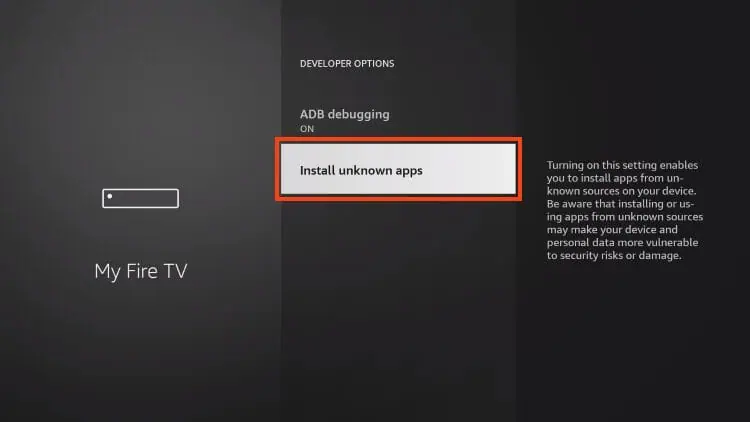
From the home screen, go to Settings → My Fire TV
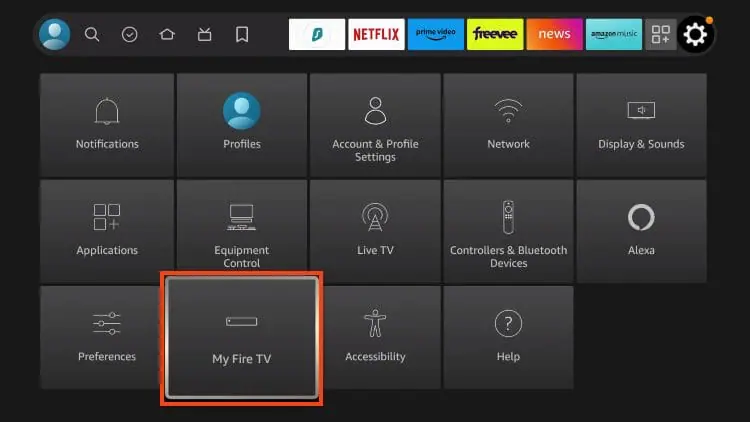
→ Developer Options and enable
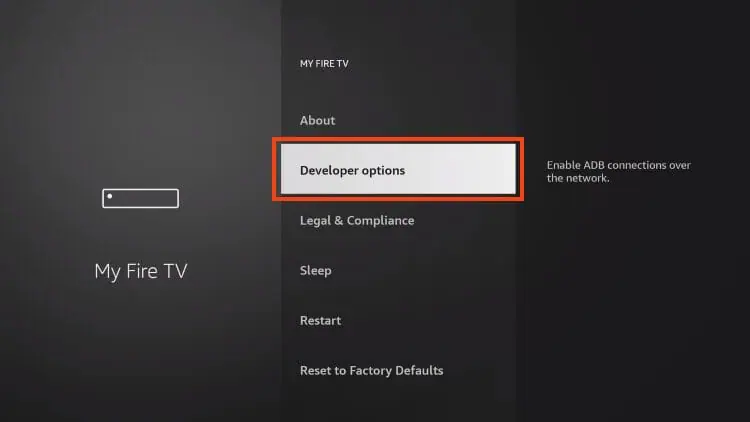
“Install Unknown Apps.”
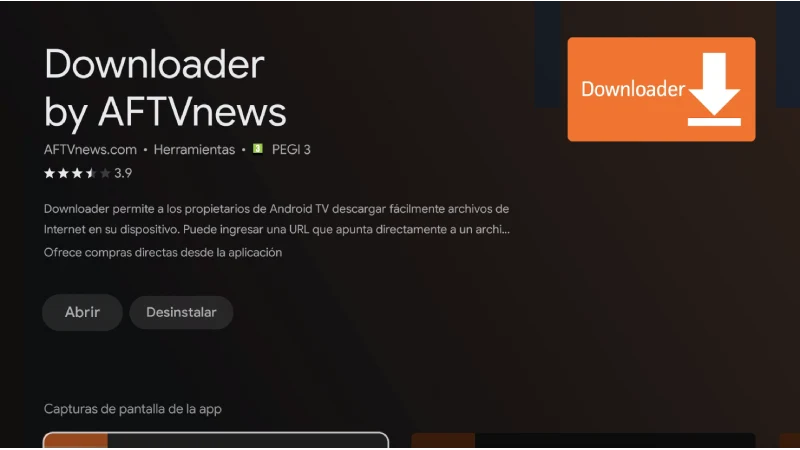
Install the Downloader tool from the Appstore, then enable its permission.
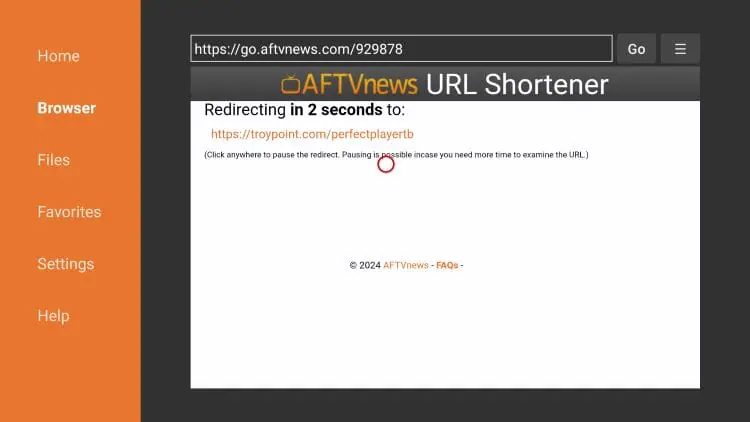
In Downloader, enter the official APK address of your chosen player and press “Go.”
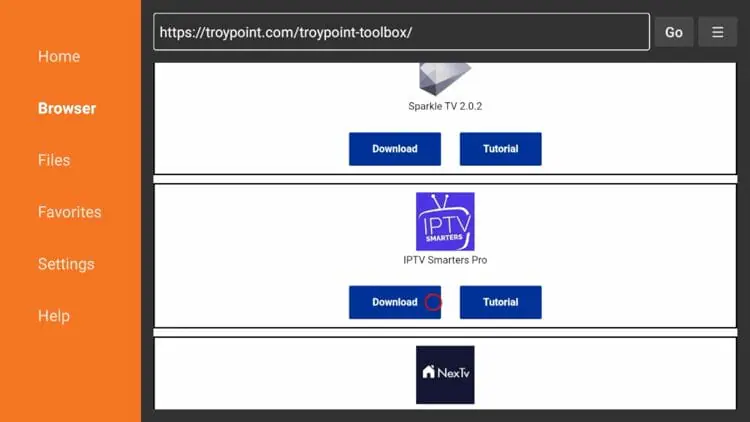
Scroll down and click Install.
Press “Install,”
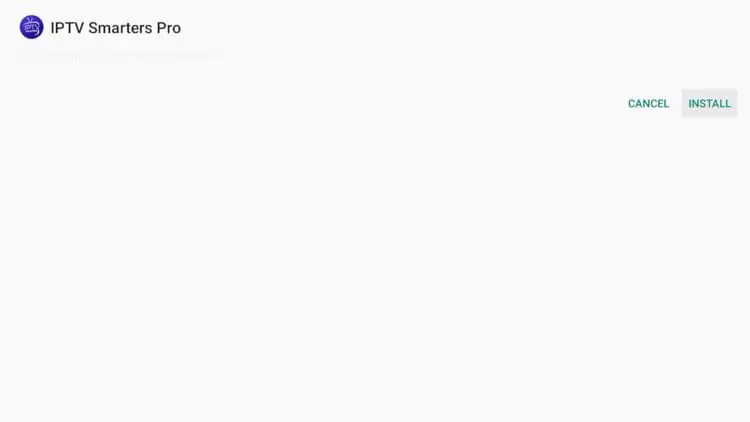
Then “Open,”
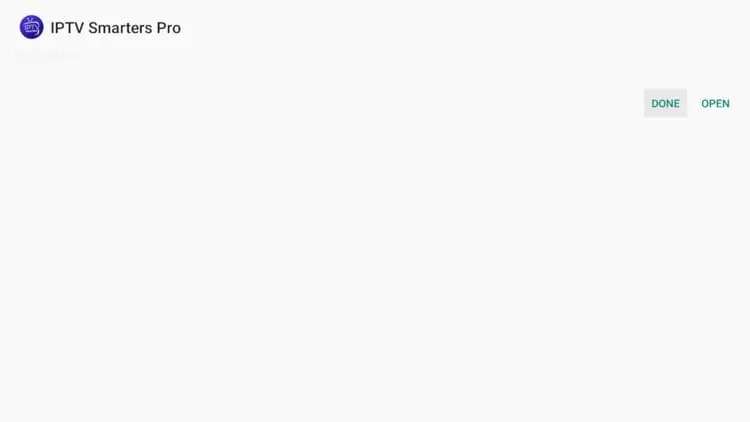
Choose delete.
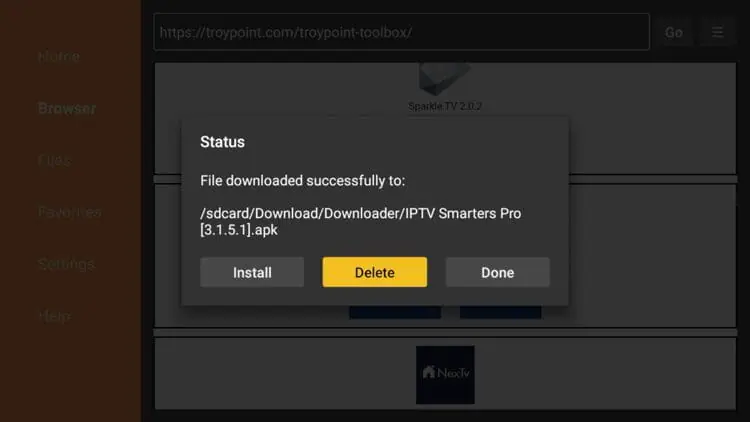
Choose IPTV Smarters Pro in your applications list
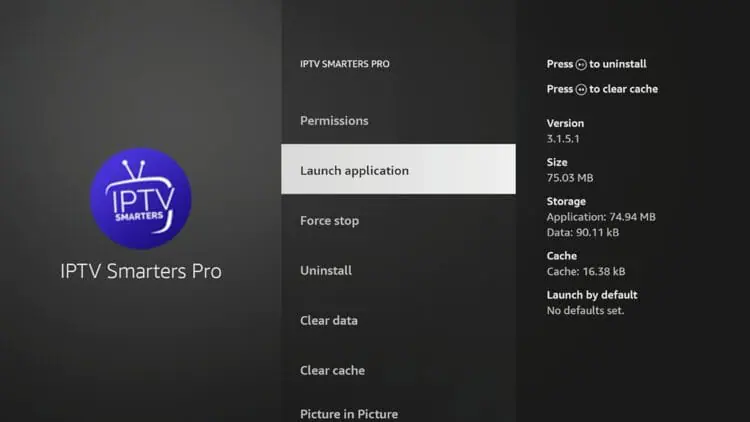
Samsung (Tizen)
Samsung TVs run Tizen, which has its own app store and no Google Play. Availability is more limited, and some well-known apps have been removed.
Open “Samsung Apps” (the Apps store) from the home screen.
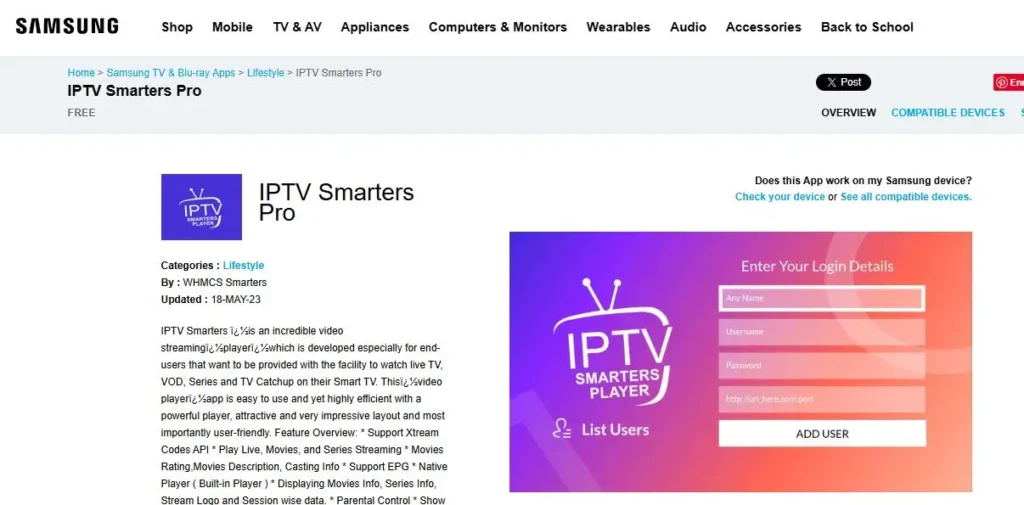
Search for an IPTV player, for example SS IPTV or IBO Player.
If it appears, select it and press “Install,” then open it.
For MAC-based apps, note the MAC address the app shows, then link your playlist on the app’s official website before reloading.
Note that Smart IPTV was pulled from the Samsung store, so on Samsung it now installs manually from its official host via a USB drive. Where an app is unavailable, an external Android TV box or Fire Stick is the simplest alternative.
For a complete guide on installing IPTV on Samsung TV, please check out our article: How Can I Download IPTV Smarters on Samsung Smart TV ?
LG (webOS)
LG TVs run webOS, with the LG Content Store as their app source. Like Samsung, the selection is narrower than Android TV.
Press Home, then open the LG Content Store.
Search for an IPTV player such as SS IPTV or IBO Player.
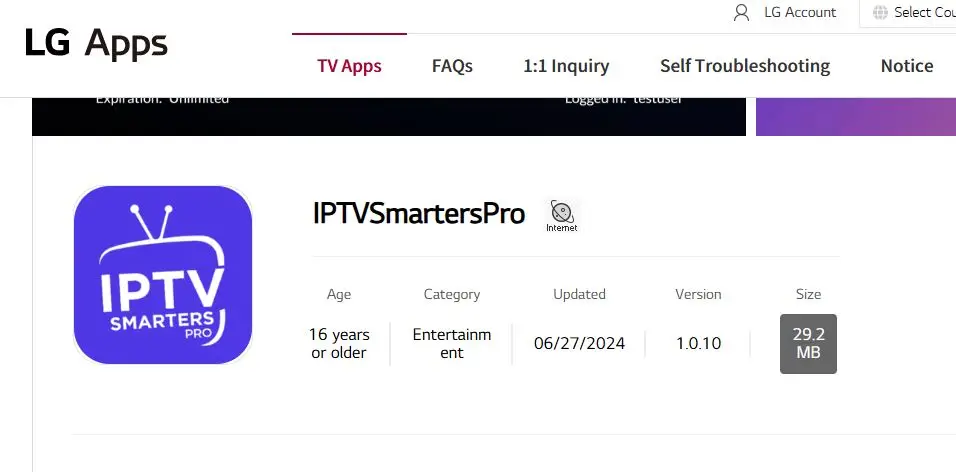
If available for your model, install and open it.
For MAC-based apps, note the MAC address and link your playlist on the app’s website, then reload.
A common webOS fix: if channels will not play, change the “Stream Player Type” in the app’s settings.
Some players are also available directly in the Amazon Appstore, in which case you can skip the sideload.
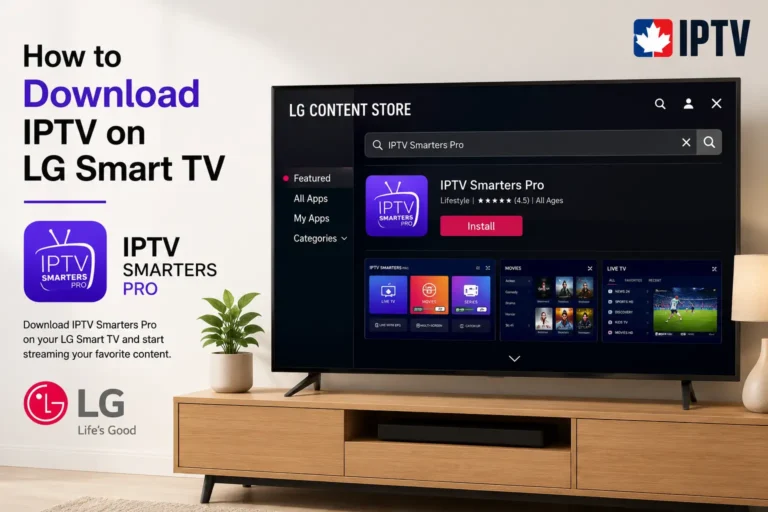
For a complete guide on installing IPTV on LG Smart TV, please check out our article: How to Download IPTV on LG Smart TV ?
Roku TV (TCL, Hisense, Roku-branded)
Roku is the trickiest case: its system is closed and does not allow the usual IPTV player apps. There is no direct install like on Android.
Check the Roku Channel Store for a compatible IPTV player channel, which some users activate via a web code, availability is limited.
If none fits, use screen mirroring: enable it in Settings → System → Screen mirroring, then mirror an IPTV app from an Android phone or a Windows PC.
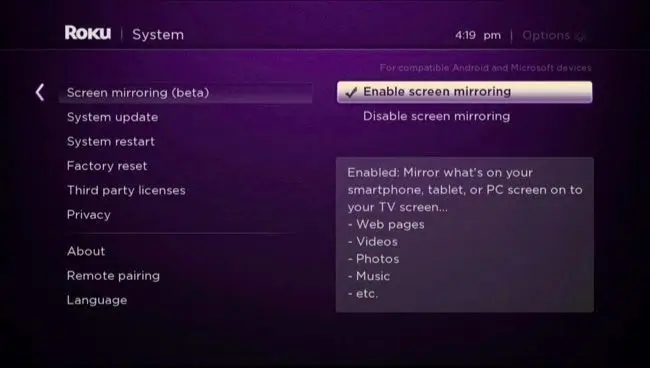
On recent Roku models, AirPlay lets you stream from an iPhone, iPad, or Mac instead.
For a full experience, plug an external Android TV box or Fire Stick into the TV’s HDMI port.
For a complete guide on installing IPTV on Roku, please check out our article: How Can I Use IPTV on Roku TV ?
VIDAA (Hisense and some Toshiba)
VIDAA is Hisense’s own system on many of its sets. Its app store is limited and rarely includes full IPTV players.
Check the VIDAA app store for an available IPTV player.
If none is suitable, the reliable route is an external streaming device, an Android TV box, Fire Stick, or Chromecast with Google TV, plugged into an HDMI port.
Screen mirroring from a phone is also possible for occasional viewing.
The common step: add your source
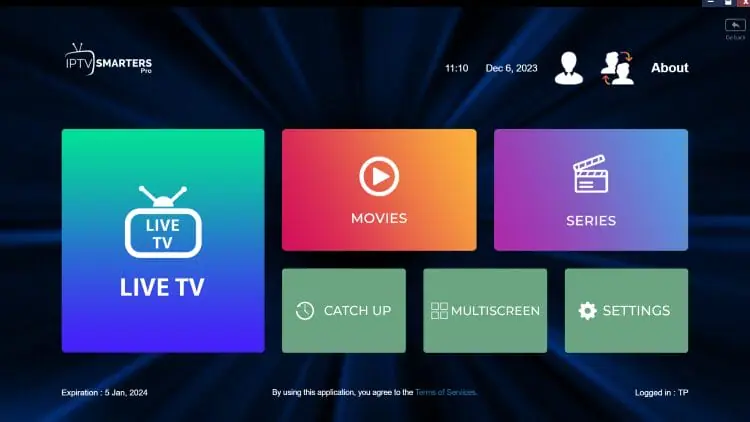
On any system where you managed to install a player, connecting your source is the same idea.
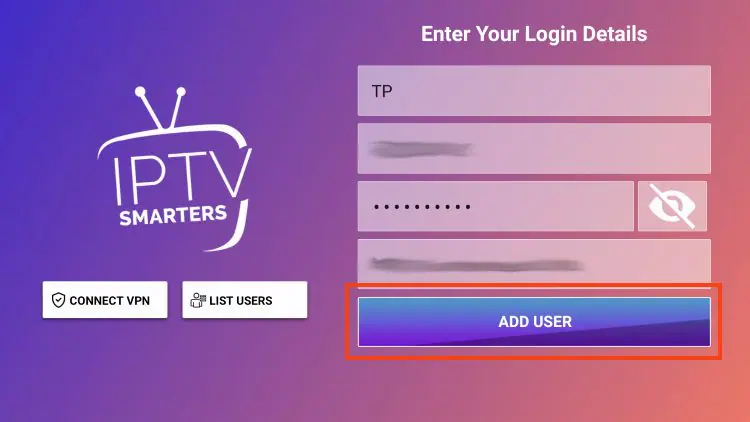
Open the app, choose “Add playlist” or “Login,”
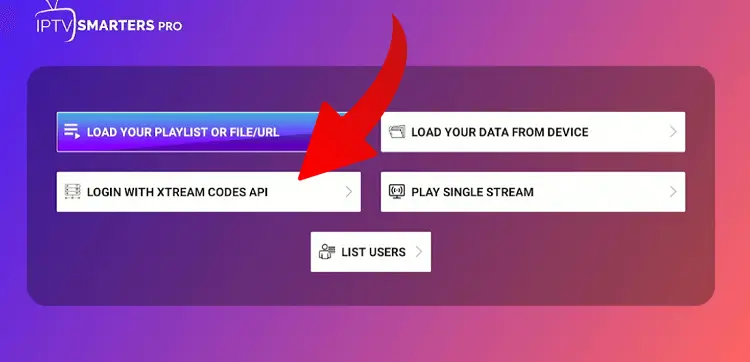
Then either paste your M3U link or enter your Xtream Codes details, the server URL with its port (e.g. http://server:8080), your username, and your password.
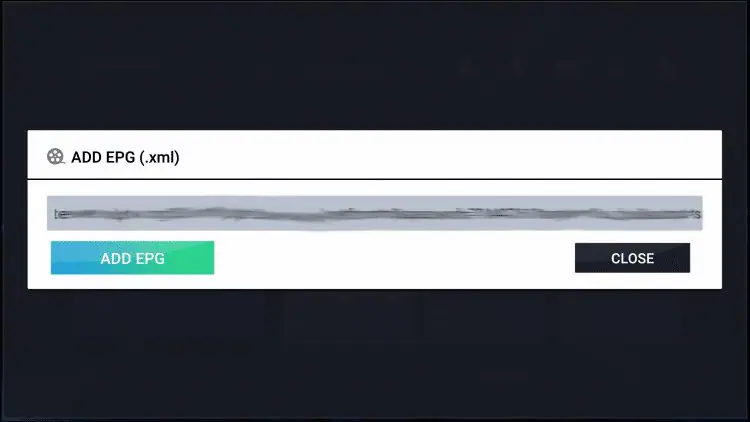
Add the EPG (XMLTV) URL if your source provides one separately, confirm, and let the app import your channels, movies, series, and guide.
The most common errors are forgetting the port after the colon and mistyping a capital letter in the credentials.
After installation: what to do next
Once your channels have loaded, a few steps turn a raw list into a comfortable TV experience.
First, set up the program guide: if it is empty, add your source’s EPG (XMLTV) URL in the app’s settings and refresh, and fix the time zone if the schedule is off by an hour.
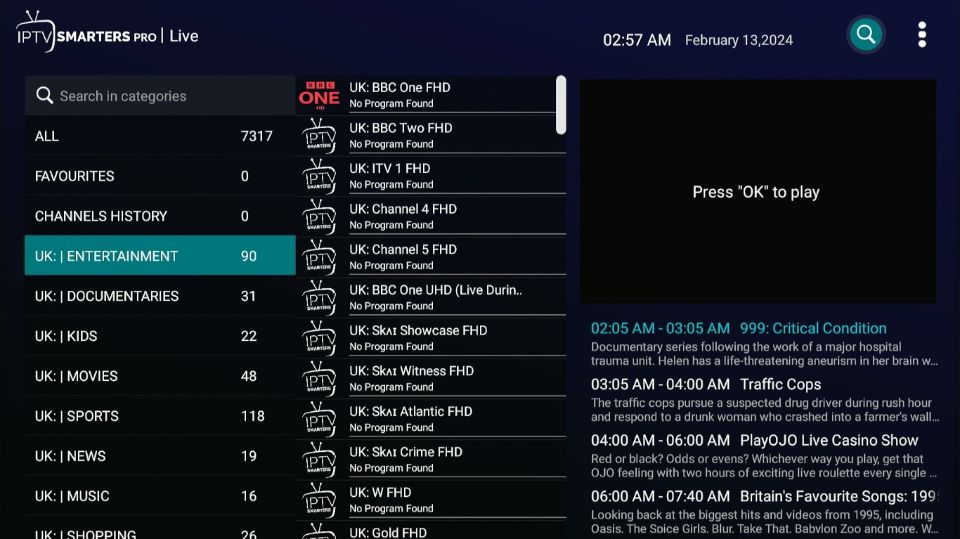
Next, organize your channels, create a favorites list for the ones you watch most and hide the categories you never use, so you are not scrolling past thousands of entries with the remote.
During playback, you can open the on-screen controls to switch subtitle tracks or change the audio language, when the stream provides them.
Finally, if a channel freezes or will not start, open its options and switch the internal player or decoder (hardware or software) until one plays cleanly. These settings are done once and make daily use far smoother, whatever brand of TV you own.
FAQ
Does the TV brand or the operating system matter more?
The operating system. The same brand can run different systems, and each installs IPTV differently. Identify the system first.
Which smart TV is easiest for IPTV?
Android TV and Google TV sets, because they include the full Google Play Store and run every major player.
Why can’t I install an IPTV app on my Samsung or LG TV?
Their stores (Tizen and webOS) are more limited, and some apps have been removed. Use the available apps, MAC-based apps via a website, or an external device.
Can I install IPTV apps on a Roku TV?
Not the usual ones, Roku’s system is closed. Use a Channel Store player if one fits, screen mirroring, or an external device.
Do I need a subscription?
Yes, in the sense that the player provides no channels. You must connect a legitimate, authorized source with an M3U link or Xtream Codes login.
What if my TV’s store has no good IPTV app?
Plug in an external streaming device — an Android TV box, Chromecast with Google TV, or Fire Stick — which bypasses the built-in store’s limits.
Why won’t my channels play on an LG TV?
Try changing the “Stream Player Type” in the app’s settings; it is a common webOS fix.
Conclusion
Installing IPTV on a smart TV comes down to one question: what system does the television run? Android TV and Google TV make it effortless through the Play Store; Samsung and LG work through their own stores or MAC-based apps set up on a website; Fire TV sets sideload with Downloader; and Roku or VIDAA sets usually need screen mirroring or a small external device to do the job well.
Once a player is installed, connecting your source is the same everywhere, an M3U link or Xtream Codes login. Identify your platform, follow the matching steps, and if your TV is too closed to cooperate, an inexpensive streaming stick turns any screen into a capable IPTV setup.
As always, the quality and legitimacy of your experience depend on the source you connect to and the stability of your connection.