IPTV does use a noticeable amount of data, generally between 1 GB and 7 GB per hour depending on the video quality you watch, but it is not unusually high compared to other forms of online streaming. Standard definition uses far less data, while high definition and 4K consume the most.
With a reliable IPTV Canada provider that streams efficiently, your data usage stays predictable and manageable, even on a household connection shared by several people at the same time. In this clear and simple guide, we explain exactly how much data IPTV uses, what affects consumption, how it compares to other activities, and how to keep it fully under control so you never face surprise overage charges on your monthly internet plan.
Does IPTV Really Use a Lot of Data?
IPTV uses a moderate to high amount of data because it streams video continuously over your internet connection, similar to any other online video service. The exact amount depends almost entirely on the resolution you watch and how many hours you stream per day.
Watching a few hours in standard definition consumes relatively little, while long sessions in high definition or 4K can add up quickly over a month. For most households, IPTV is perfectly manageable on a modern internet plan, especially one with a generous or unlimited data allowance.
The key is understanding what drives the consumption so you can adjust your habits before usage becomes a problem. Two homes can watch the same number of hours yet have completely different monthly totals, simply because of the resolution they choose and how many screens run at once. The sections below break down the numbers and the main factors clearly so you can estimate your own situation with confidence.
How Much Data Does IPTV Use Per Hour?
IPTV typically uses between 1 GB and 7 GB of data per hour, with the exact figure depending on the streaming resolution. Standard definition is the lightest option, while 4K Ultra HD is by far the most demanding on your connection.
Knowing the hourly rate helps you estimate your monthly usage based on how much you watch each day. For example, a household watching four hours of high-definition content daily will use far more than someone watching one hour in standard definition.
Audio-only or low-resolution streams use even less, which is useful on very slow or limited connections. It also helps to remember that these figures are averages: the real number shifts slightly depending on the type of content, since fast-moving scenes such as sports use more data than slow, static footage.
The table further down in this guide gives you precise estimates for each video quality so you can plan your monthly budget accurately.
Why Does Video Quality Affect IPTV Data Usage the Most?
Video quality is the single biggest factor in IPTV data usage because higher resolutions pack far more information into every second of video. A 4K stream contains roughly four times the detail of a high-definition stream, so it consumes data much faster while delivering a sharper picture. Lowering the resolution is therefore the most effective way to cut consumption without changing how long you watch.
Many services and devices let you set a preferred quality, which gives you direct control over your monthly total. On smaller screens, the difference between Full HD and 4K is often barely noticeable, so dropping the resolution saves a large amount of data with almost no visible loss.
If your internet plan has a cap, choosing standard or high definition instead of 4K can dramatically reduce your usage while still providing a clear, enjoyable picture for everyday viewing.
Does Live TV Use More Data Than On-Demand Content?
Live TV and on-demand content use roughly the same amount of data at the same resolution, since both transmit video as a continuous stream. The difference comes mainly from viewing behaviour rather than the technology itself. Live TV often runs in the background for long periods, which quietly increases total consumption even when no one is actively watching the screen.
On-demand content tends to be watched more deliberately, so sessions are often shorter and more controlled. This behavioural gap is why two households with identical internet plans can end the month with very different data totals.
To keep usage down, turn off the TV when no one is watching live channels, since hours of unattended background streaming are one of the most common hidden sources of unexpectedly high data bills.
Is IPTV a Problem for Capped or Limited Internet Plans?
IPTV can become a problem on capped or limited internet plans if you stream long hours in high definition or 4K without monitoring your usage. Many internet plans include a monthly data limit, and heavy daily streaming can approach or exceed it, leading to extra charges or reduced speeds for the rest of the billing cycle.
The solution is to track your usage and adjust the resolution to match your plan rather than always defaulting to the highest setting. Most internet providers offer an online dashboard or app that shows your real-time consumption, which makes it easy to spot heavy days early.
For trusted research and insights on internet usage and connectivity in Canada, you can consult the Canadian Internet Registration Authority (CIRA), a reliable and high-authority resource.
How Can You Reduce IPTV Data Consumption?
You can significantly reduce IPTV data consumption by lowering the streaming resolution, limiting viewing hours, and avoiding background playback. Small adjustments to your daily habits often cut monthly usage by a large margin without hurting the overall viewing experience.
Choosing a provider with efficient streaming technology also helps, since well-optimized servers deliver the same quality with less wasted bandwidth.
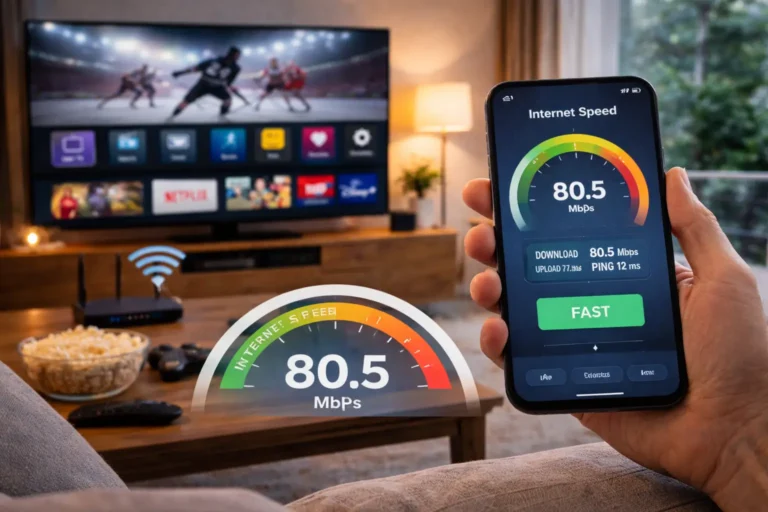
Monitoring your data through your internet provider’s tools keeps you aware of your trends before you ever hit a limit. It also helps to match your connection to your viewing habits, so it is worth checking what internet speed you need for IPTV?, before settling on a resolution.
Here are the most effective ways to lower your IPTV data usage:
- Lower the resolution — switch from 4K to high or standard definition.
- Limit viewing hours — avoid leaving the TV running unattended for long periods.
- Turn off background streaming — stop live channels when no one is watching.
- Use one screen at a time — multiple simultaneous streams multiply total usage.
- Monitor your data — check your consumption regularly through your provider.
- Choose an efficient provider — optimized servers reduce buffering and waste.
- Use a wired connection — fewer reconnections means less repeated data use.
How to Choose an IPTV Plan That Manages Data Efficiently?
The best IPTV plan for data management is one that offers adjustable quality settings, efficient streaming, and stable servers that avoid wasted bandwidth. A flexible service lets you choose the resolution that fits your internet plan instead of forcing the highest setting by default, which puts you in control of your monthly total.
Stable infrastructure also matters more than people expect, because frequent reconnections and re-buffering quietly waste data over the course of a month.
Before subscribing, check whether the service supports quality control and whether it performs smoothly on your specific connection. Combining a well-optimized provider with mindful viewing habits gives you the smoothest experience while keeping your monthly data firmly under control, even in a busy household.
The table below shows estimated IPTV data usage per hour by video quality:
| Video Quality | Approx. Data per Hour | Best For |
| Low / Audio-focused | 0.3 – 0.7 GB | Slow or very limited connections |
| Standard Definition (SD) | 0.7 – 1 GB | Capped data plans, mobile use |
| High Definition (HD) | 1.5 – 3 GB | Most households, balanced quality |
| Full HD (1080p) | 3 – 4.5 GB | Larger screens, good connections |
| 4K Ultra HD | 6 – 7 GB | High-speed, unlimited plans |
A few quick habits that keep data usage low:
- Set a default resolution that matches your internet plan and screen size.
- Avoid running multiple streams on different devices at the same time.
- Pause or fully stop playback when you step away from the screen.
- Review your monthly data report to spot heavy usage trends early.
- Restart your router occasionally to keep the connection stable and efficient.
FAQ: Common Questions About IPTV Data Usage
How much data does IPTV use in a month?
It varies widely, but watching three hours of HD daily uses roughly 135 to 270 GB per month. Lowering the resolution reduces this significantly.
Does IPTV use more data than regular streaming?
No, IPTV uses about the same data as other online video services at the same resolution. Quality and viewing time are what matter most.
Is standard definition enough to save data?
Yes, standard definition uses far less data than HD or 4K and still provides a clear, watchable picture on most screens.
Does watching live TV all day use a lot of data?
Yes, leaving live channels running for hours is a common hidden cause of high data bills, even when no one is actively watching.
Can I watch IPTV on a limited data plan?
Yes, but you should lower the resolution and monitor usage to avoid exceeding your monthly cap and facing extra charges.
Does pausing IPTV stop data usage?
Yes, when playback is fully stopped, data usage stops too. Background streaming, however, continues to consume data.
Do multiple devices increase IPTV data usage?
Yes, every simultaneous stream uses its own data, so two screens running at once roughly double the total consumption.
Conclusion
IPTV uses a moderate to high amount of data, but it stays well within reach for most modern internet plans when managed wisely. Video quality is the biggest factor, so adjusting the resolution is the simplest and most powerful way to control consumption without sacrificing your enjoyment.
By limiting background streaming, avoiding multiple simultaneous streams, monitoring your monthly usage, and choosing an efficient provider, you can enjoy a smooth viewing experience without ever worrying about overage charges. With a little awareness and the right settings, IPTV remains a flexible, reliable, and data-friendly way to watch your favourite content every single day.