The best IPTV app for Firestick is IPTV Smarters Pro for most people, thanks to its free price and simple setup, while TiviMate is the top choice for viewers who want a premium live-TV experience with a polished channel guide.
The Amazon Fire TV Stick is one of the most popular streaming devices in Canada because it is affordable, portable, and easy to use, and it runs IPTV apps smoothly once you add a playlist.
The right app depends on how you watch: casual viewing, heavy live-TV use, or a one-time setup you rarely touch. Paired with a reliable IPTV Canada provider that supplies clear login details and stable servers, a good app turns your Firestick into a full television experience.
Below, we look at each leading app in turn and explain why it earns a spot, then help you choose the one that fits your habits.
What makes a great IPTV app for Firestick?
A great Firestick IPTV app runs smoothly on modest hardware while keeping everyday use simple. The Fire TV Stick has limited memory and a modest processor, so an app must load your playlist quickly and stay stable through long sessions. Beyond performance, the best apps make navigation effortless, with a clear layout, a working program guide, and easy favourites.
Support for both M3U links and Xtream Codes matters too, since those are the formats most services hand out. Frequent updates are another good sign, because they fix bugs and keep playback reliable as Fire OS evolves. Keep these criteria in mind as you read through the apps below, since the best app is really the one that matches how you watch.
- Smooth playback on Fire TV’s limited memory and processor.
- Support for both M3U playlists and Xtream Codes logins.
- A reliable electronic program guide (EPG) for live channels.
- Easy favourites, categories, and quick search.
- Frequent updates and broad device compatibility.
IPTV Smarters Pro
We pick IPTV Smarters Pro as the best all-round IPTV app for Firestick because it is free, simple, and does almost everything most viewers need. You add your service by pasting an M3U link or entering your Xtream Codes, and the app loads your channels in moments. It combines live TV, movies, and series in one clean interface that beginners can navigate right away.
A built-in program guide, on-demand sections, and multi-screen support round out the package. Because it is so widely used, tutorials and help are easy to find when you get stuck, which makes it the safest starting point for a first setup.
- Free to download and use, with no licence fee.
- Accepts both M3U links and Xtream Codes.
- Built-in EPG, on-demand sections, and multi-screen support.
- Beginner-friendly layout with a fast initial setup.
TiviMate
TiviMate earns its place as the best app for anyone who lives in live television. Its program guide is widely regarded as the finest on Firestick, with a clean, customizable layout that feels like a real TV rather than a basic playlist. The free version is already strong for live channels, while the premium upgrade adds recordings, multiple playlists, and extra personalization.
TiviMate focuses on live TV more than large on-demand libraries, so it suits viewers who mainly watch channels in real time. The only trade-off is a slightly steeper learning curve than the simplest apps, but the polished result is well worth it.
- Outstanding, highly customizable EPG and channel layout.
- Strong free version, with an optional premium upgrade.
- Recordings and multiple playlists in the premium tier.
- Built primarily for live TV rather than on-demand browsing.
IBO Player
We recommend IBO Player for people who want to set things up once and rarely touch them again. It uses a one-time activation tied to your device, after which it loads your playlist with very little fuss. The interface is basic and uncluttered, which many users actually prefer over feature-heavy apps.
It supports the usual M3U and Xtream Codes formats, so it works with most services without extra configuration. While it lacks the deep customization of TiviMate, that simplicity is exactly the appeal for viewers who just want their channels to appear and play.
- One-time activation per device, then minimal upkeep.
- Straightforward M3U and Xtream Codes support.
- Clean, no-frills interface that is easy to read.
- A good fit for users who dislike complex menus.
XCIPTV
XCIPTV makes the list for viewers who like to fine-tune their setup. It is one of the more customizable IPTV players, supporting both Xtream Codes and M3U while offering plenty of interface and playback options. That flexibility appeals to users who want their app to look and behave a certain way rather than accept the defaults.
The main caveat is that its free version may show ads, and the extra options can feel busier to newcomers. Once configured, though, XCIPTV is a capable and reliable performer on Firestick.
- Highly customizable interface and playback settings.
- Supports both Xtream Codes and M3U playlists.
- Free version may include ads; a paid tier is available.
- Best suited to users who enjoy tweaking options.
GSE Smart IPTV
GSE Smart IPTV is a strong choice when you want flexible playlist and guide handling. It manages multiple playlists and EPG sources well, which is useful if you juggle more than one list or want detailed guide control. Like XCIPTV, it offers a free version with optional paid upgrades, and it works dependably once set up.
The interface is a little more technical than the simplest apps, so it rewards users who do not mind a short learning period. For viewers who value flexibility over hand-holding, GSE is a solid option.
- Flexible handling of playlists and EPG sources.
- Supports Xtream Codes and M3U formats.
- Free version with optional paid upgrades.
- A short learning curve, but very capable once configured.
OTT Navigator
OTT Navigator earns a spot for power users who want a premium, highly configurable experience. It offers one of the most detailed program guides available, along with strong support for catch-up archives, multiple playlists, and deep customization.
Many advanced viewers choose it precisely because almost every part of the interface can be adjusted to their taste. It comes with a free version and a paid premium tier that unlocks the full feature set. The wealth of options makes it less beginner-friendly, but for enthusiasts it is one of the most powerful apps you can run on Firestick.
- Detailed EPG with catch-up and archive support.
- Extensive customization across the whole interface.
- Free version plus a feature-rich premium tier.
- Aimed at advanced users who want maximum control.
How do the top Firestick IPTV apps compare?
The quickest way to choose is to match an app to your viewing style at a glance. The table below summarizes the apps above by what they do best, their cost, the quality of their program guide, and how hard they are to set up.
Use it as a shortlist, then try one or two free apps to see which feels right on your device. Remember that the app and your subscription are separate, so a paid app never replaces a service plan.
| App | Best for | Price | EPG quality | Setup |
| IPTV Smarters Pro | All-round use | Free | Good | Easy |
| TiviMate | Live TV and guide | Free + premium | Excellent | Moderate |
| IBO Player | Low-maintenance setup | One-time fee | Basic | Easy |
| XCIPTV | Customization | Free + paid | Good | Moderate |
| GSE Smart IPTV | Flexible playlists | Free + paid | Good | Moderate |
| OTT Navigator | Power users | Free + premium | Excellent | Advanced |
How do you install an IPTV app on a Firestick safely?
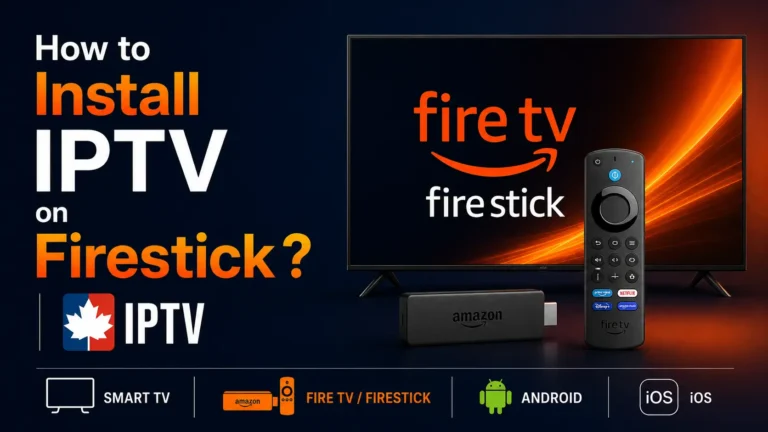
Some IPTV apps appear directly in the Amazon Appstore, while others are added through the Downloader app, a process known as sideloading. Whichever route you take, only install apps from sources you trust, because sideloaded files bypass the store’s built-in safety checks.
The University of Waterloo’s Cyber Awareness resource, a respected Canadian source on staying safe online, advises only using and downloading software from trusted, authorized sources. Keeping the app updated afterward protects both performance and security. For the complete walkthrough tailored to Fire TV, see our Firestick IPTV setup guide.
- Search the Amazon Appstore first for the app you want.
- If it is not listed, use the Downloader app to sideload it.
- Stick to official or reputable download links only.
- Keep the app and your device updated after installation.
Which IPTV app should you choose, and how do you get the best performance?
Choose the app whose strengths line up with how you actually watch, then fine-tune your setup for smooth playback. Each option above is a strong performer, so the decision comes down to your priorities rather than quality.
If you are unsure, IPTV Smarters Pro is the safest default to start with. Once your app is installed, a few simple habits keep the picture stable on modest hardware, especially during busy evening hours.
- Choose IPTV Smarters Pro for a free, easy, do-everything app.
- Choose TiviMate or OTT Navigator if live TV and a great guide matter most.
- Choose IBO Player for a simple, one-time setup.
- Choose XCIPTV or GSE Smart IPTV if you like to customize your interface.
- Use a wired adapter or keep the Firestick close to your router.
- Clear the app cache regularly to free up memory.
- Increase the buffer size in settings if video stutters.
- Restart the Firestick occasionally to clear background load.
Frequently asked questions (FAQ)
What is the best free IPTV app for Firestick?
IPTV Smarters Pro is the best free option for most users, offering live TV, movies, and an EPG at no cost. TiviMate also has a strong free version, especially for live channels.
Is TiviMate better than IPTV Smarters Pro?
TiviMate has a better program guide and a more TV-like interface, so it suits heavy live-TV use. IPTV Smarters Pro is simpler and easier for beginners, so the better choice depends on your priorities.
Do I need to sideload IPTV apps on Firestick?
Sometimes. A few apps are in the Amazon Appstore, but others must be added through the Downloader app. Only sideload from trusted sources to keep your device safe.
Are IPTV apps for Firestick free?
Most are free to download, though some offer paid tiers for extras like recordings or multiple playlists. The app price is always separate from your subscription plan.
Why is my IPTV app buffering on Firestick?
Buffering usually comes from a slow connection, a full cache, or a small buffer size. Improving your connection, clearing the cache, and adjusting the buffer setting normally fixes it.
Can I use more than one IPTV app on the same Firestick?
Yes, you can install several apps and switch between them freely. Many users keep two apps to compare interfaces or as a backup.
Which IPTV app has the best program guide?
TiviMate and OTT Navigator are widely considered to have the best EPG on Firestick, with clean, customizable layouts. IPTV Smarters Pro and GSE Smart IPTV also provide solid guides.
Conclusion
For most Firestick users, IPTV Smarters Pro is the best all-round IPTV app, while TiviMate and OTT Navigator win for live TV and program guides, and IBO Player suits anyone who prefers a simple, one-time setup. XCIPTV and GSE Smart IPTV round out the field for viewers who want more customization.
The smartest approach is to start with a free app, confirm it runs smoothly on your device, and upgrade only if you need extra features. Whichever app you choose, a stable connection and a trustworthy source for your downloads will give you the best experience on Fire TV.